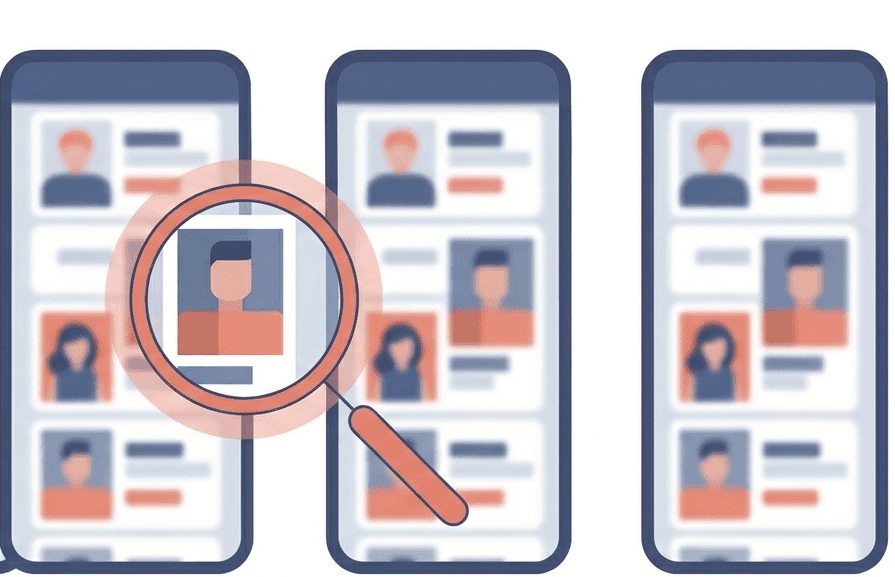
People want a simple way to search someone on Tinder. Type a name, get a profile, confirm if they have an account.
Tinder doesn’t operate on that model.
The app runs on a Discovery system. Profiles are shown to you based on filters like age, distance, and preference settings. There’s no built-in tinder user search tool for locating a specific individual.
But here is what you can do with a little bit of elbow grease.
Tinder Profile Search Methods That Produce Results
No method guarantees you’ll find a specific profile. Tinder’s system limits direct lookup by design. But several approaches can surface or confirm profiles under the right conditions.
Tinder Account + Filter Browsing
If you don’t already have a Tinder account, create one. The profile doesn’t need to be polished a basic photo and a one-line bio are enough.
From there:
- Set distance to the smallest realistic radius based on where you know they live or work.
- Tighten age range to within 1–2 years of their actual age.
- Enable Dealbreaker toggles so Tinder won’t serve profiles outside your ranges.
- Swipe through the stack card by card.
Why some profiles won’t show up no matter what you do:
Visibility controls: Tinder has a privacy setting that limits who can see you. Your profile is shown only to people you’ve already liked. If the person you’re trying to find has this enabled, you won’t see them in your Discovery stack unless they liked you first.
Face verification filtering. Tinder has been pushing its Face Check™ video-selfie verification heavily since late 2025. Profiles that haven’t completed verification may be deprioritized or hidden in the stack entirely. If the person you’re looking for skipped this step, they might not surface regardless of how tight your filters are.
One workaround worth knowing: a trusted friend already on Tinder can sometimes spot the profile faster. Tinder’s Matchmaker feature lets you generate a link and share it with a friend, even someone who doesn’t have a Tinder account. They get access to your Discovery stack for up to 4 hours and can recommend profiles for you.
Google Search

If you want to search someone on Tinder without opening the app, Google is your starting point. You’re searching Google for Tinder pages that happen to exist, but it doesn’t show all the profiles.
Here’s why most profiles don’t show up: Tinder keeps profiles behind a login wall. Google can’t see them. But some users create a public web profile with a custom username. Those pages look like this:
tinder.com/@username
If that page is public, Google can find it. That’s the window you’re working with.
How to do it:
- Open Google in any browser.
- Type one of these into the search bar (replace the parts in quotes with real details):
site:tinder.com "their username"site:tinder.com "first name" "city"site:tinder.com "a phrase from their bio"site:tinder.com "@their instagram handle"
- Hit search and look through the results.
Quick tip: The more specific your search, the better. A common name like “John” will return too many results. A unique bio phrase or unusual username works much better.
Note that Google results can be outdated. A profile might show up in search even after the person deleted their account. Cached pages can stick around for weeks. So a result means the profile existed at some point. It doesn’t guarantee it’s still active.
In testing, fewer than 5 out of 30 known active profiles appeared in Google results. The hit rate is low. But it’s free, takes 30 seconds, and you don’t need a Tinder account to try it.
Tinder Web Browsing
Tinder has a desktop version at tinder.com that works the same as the app. Same Discovery stack, same filters, same swipe system.
So why bother? Because scanning is easier. Profile photos are larger, bios are easier to read, and you can move through cards faster. Small details that are easy to miss on a phone, like a job title, a school name, or a specific emoji in a bio, are more obvious on a laptop.
Worth being clear though: this isn’t a different system. If the profile isn’t showing up on your phone, it won’t show up here either. It’s just a bigger window to look through.
Tinder User Search Methods That Don’t Produce Reliable Results
Several widely promoted tactics fail due to how Tinder structures its user data.
Phone Number Searches
Tinder uses your phone number to verify your account when you sign up. That’s it. The number is stored privately and isn’t connected to any search function inside or outside the app.
Even Tinder’s own contact-related feature works in the opposite direction. The Block Contacts tool lets you upload your phone contacts so you avoid matching with people you know. It’s a hiding tool, not a finding tool.
If a website promises a tinder profile search using just a phone number, what you’ll actually get is a public records report. Addresses, relatives, maybe some social media accounts. That data comes from people-search databases, not from Tinder. The two systems aren’t connected.
Email Lookup
Same story with email. Tinder uses it for account login and password recovery, nothing else. That data sits behind authentication walls and isn’t exposed to any external search.
If a lookup tool asks for an email and claims to check Tinder, the results come from the same place as the phone number searches: public records and data broker databases. You might see social media accounts linked to that email. You won’t see a Tinder profile pulled from Tinder’s servers. That pipeline doesn’t exist.
Any service claiming “100% success rate” or “guaranteed Tinder results” is making a promise the technology doesn’t support. A guarantee only works if the seller has access to the database. No external tool does.
How “Tinder Profile Search” Sites Monetize Anxiety

Most of these sites work the same way. You type in a name and location. A loading bar appears. A message pops up saying something like “3 matches found!” To see the results, you need to pay.
You came looking for a Tinder profile, and now it looks like the answer is one click away. Prices usually sit between $10 and $30, often labeled as a “trial.”
Here’s what the report usually contains: address history, phone numbers, relatives, and public social media accounts. This is standard people-search data, the same kind of information sites like Spokeo or BeenVerified sell. It comes from public records and data brokers. Not from Tinder.
So you pay $30 expecting to find out if someone has a Tinder account, and what you get is their old addresses and a list of relatives. It answers a question, just not the one you were actually asking.
The reason it works is emotional. If you’re worried about a partner being on Tinder, “matches found” feels urgent. Paying feels like getting certainty. But certainty about a Tinder account isn’t what these reports deliver.
Watch the billing too. Many of these sites bury a subscription in the fine print. What looks like a $1 trial quietly converts into a $29.99 monthly charge. Canceling is often harder than signing up. Before entering any payment details, read the terms carefully and check for auto-renewal language.
Verification Methods (Confirmation Tools)
These methods won’t help you find a Tinder profile from scratch. They’re for confirming a lead you already have, like a photo, a username, or a social media connection.
Reverse Image Search
If you have a photo of the person, you can check where else that image appears online. Upload it to Google Lens or TinEye. Both tools scan the web for visual matches.
This works well when someone reuses the same photo across platforms. If their Tinder picture also appears on Instagram, Facebook, or a LinkedIn profile, these tools will surface the connection.
It doesn’t work when the photo is unique to Tinder. Neither tool has access to Tinder’s internal image database. They only search what’s publicly visible on the web. If the image hasn’t been posted anywhere else, it won’t show up.
Username Reuse
People tend to use the same username across different platforms. If you know someone’s handle on Instagram, TikTok, or X, it’s worth checking whether they used the same one on Tinder.
Two quick checks you can run: type tinder.com/@theirusername into your browser, and search site:tinder.com "@theirusername" on Google. Takes under a minute.
If the username matches, that’s a strong sign. If nothing comes up, it doesn’t mean they’re not on Tinder. It just means they either used a different username or never set up a web profile.
Privacy and Ethical Boundaries
There’s a line between checking and stalking. The methods in this guide are neutral tools. What matters is why and how you use them.
Generally reasonable: Confirming that someone you’re talking to online is who they say they are. Checking whether your own photos are being used on fake profiles. Reporting impersonation.
Crossing a line: Creating fake accounts to spy on someone. Tracking a person’s location through their profile. Purchasing invasive data broker reports on someone who hasn’t given you a reason to feel unsafe. Using anything you find to threaten, embarrass, or control someone.
Legally: Viewing publicly available information, like a web profile or a Google search result, is generally lawful. Creating fake accounts violates Tinder’s Terms of Service. Using discovered information to harass or intimidate someone may violate stalking and harassment laws, which vary by region.
A simple gut check helps: if you’d be uncomfortable telling the person exactly what you searched and why, it’s worth pausing before going further.
FAQ
Can you search Tinder by name?
No. Tinder has no name-based tinder user search feature. The only way to control who you see is through Discovery filters like age, distance, and gender. You can try searching Google with site:tinder.com "their name", but most profiles aren’t indexed.
Can you search Tinder by phone number?
No. Phone numbers are used for account verification only. They’re stored privately and aren’t searchable by anyone, inside or outside the app.
Can you find someone on Tinder without an account?
A full tinder profile search without an account is limited. You can try the username URL method (tinder.com/@username) or run a Google site search. Both work without logging in. But for the most thorough method, Discovery filter browsing, you need an active Tinder account.
Do Tinder usernames exist?
Yes. Tinder lets users create a custom username under Settings > Web Profile. It generates a public page at tinder.com/@username. But the feature is optional and most people never set one up, which limits how useful this method is.
Will someone know I searched for them?
No. Tinder does not send notifications when someone views your profile in the Discovery feed. Google searches and URL checks are completely anonymous. The only signal Tinder gives is when someone swipes right on you, and even that is only visible with a paid subscription.
What’s the best free method?
The best way to search someone on Tinder for free is to start with the fast checks: try the username URL and a Google site search. If those don’t work, the most reliable free method is logging into Tinder with tight Discovery filters and swiping through the stack. It takes patience, but it gives you the highest realistic chance of finding a specific profile.